Schengen Generic
Passport Photo Too Dark or Shadowed? Retake and Fix Guide
Learn why dark passport photos fail quality checks and use the online checker to preview lighting, crop, and background corrections.
Last updated Oct 9, 2026
Verified against the official source · Oct 7, 2026Lighting Problems Are Hard to Fix Afterward
The best passport photos start with soft front lighting. If the image is too dark, over-brightening can create noise, blur, and unnatural skin tones.
- Face a window or soft light source.
- Avoid overhead lighting that creates eye and nose shadows.
- Retake if the face is blurry or heavily underexposed.
- Some authorities, including the United States, the United Kingdom, Canada and Australia, do not accept a passport photo with an edited background. Check your document's page first.
Photo Examples

Pass example
Correct photo
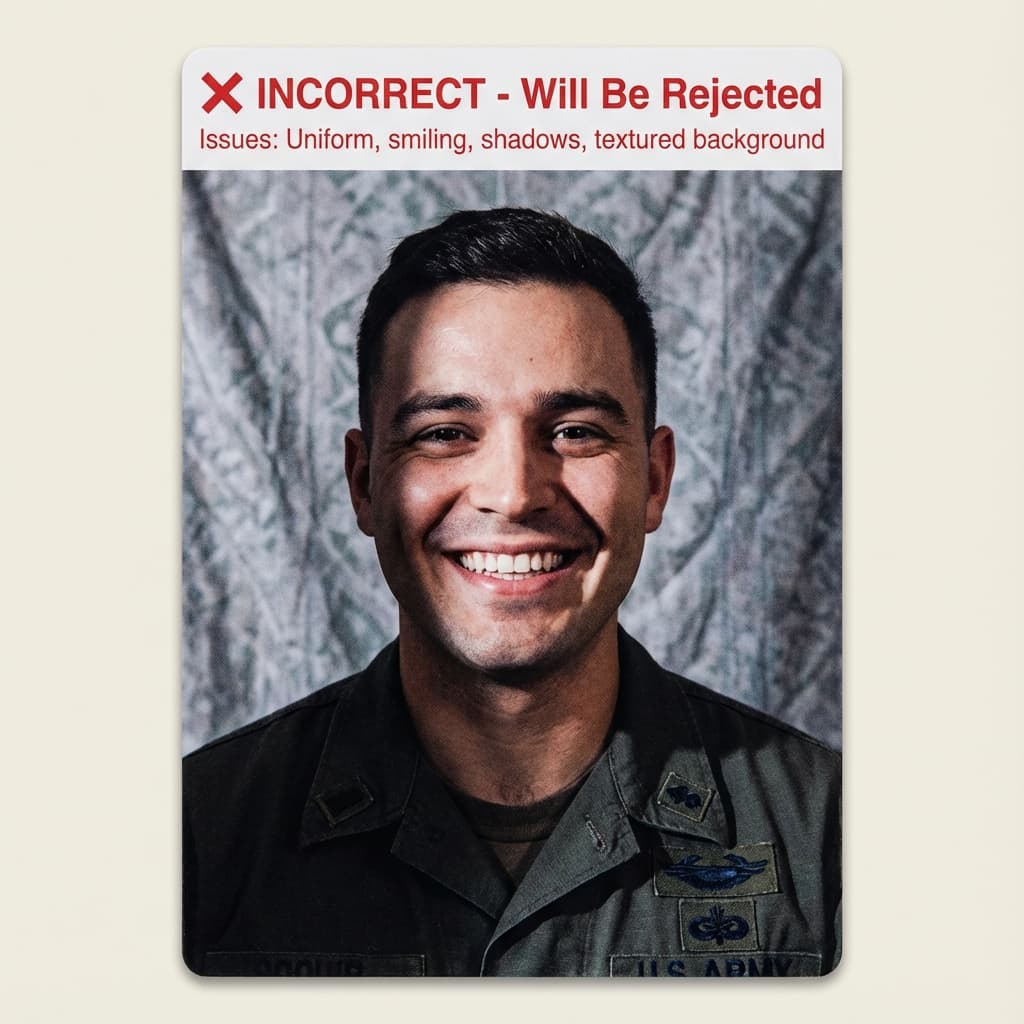
Common rejection risk
Incorrect photo
Real Passport Photo Too Dark Rejection Data
38.0% of Passport Photo Too Dark photos were rejected on first submission, based on 234 checks run through VisaPhotoCheck.
Most common reasons a rejected photo failed
- Crop or framing39%
- Accessories (glasses, hats, headphones)28%
- Expression13%
- Head pose or angle13%
- Photo authenticity11%
- Lighting or shadows10%
- Resolution3%
- sharpness2%
- Background1%
Each figure is the share of rejected Passport Photo Too Dark photos that failed that specific check. A single rejection often fails more than one check, so these do not add up to 100%.
Based on VisaPhotoCheck's own Passport Photo Too Dark submissions — this reflects our users, not an official or industry-wide rejection rate.
Frequently Asked Questions
Related Document Requirements
35x45mm Photo
Check a 35x45mm (3.5x4.5 cm) passport or visa photo online, free. Exact size in mm and pixels, head height and backgroun...
Germany Passport Photo
German passport photo rules: 35x45mm, head 70-80% of the frame, plain light background. Since 1 May 2025 offices in Germ...
France Passport Photo
French passport photo rules from service-public.fr: 35x45mm, face 32-36mm, plain light background - white is not allowed...
Spain Passport Photo
Free Spain passport photo checker. Validate your 35x45mm biometric passport photo for Spanish applications before upload...
Schengen Visa
Check and fix your Schengen visa photo online. Create a 35x45mm biometric photo for France, Germany, Italy, Spain, and o...
Canada Visa
Canada visa photo requirements for IRCC applications: 35x45mm for a TRV, study permit or work permit, head 31-36mm, plai...
UK Passport
UK passport photo requirements: a digital photo of at least 600×750 pixels for an online application, or a 35x45mm print...
Australia Passport
Australian passport photo requirements: 35–40mm × 45–50mm, face 32–36mm from chin to crown, plain white or light grey ba...