Japan Passport Online Application
Japan Online Passport Application Photo 600x730px Requirements
Japan's online passport application on the Myna Portal takes a 600×730 pixel JPG of 600KB or less, not the 35×45mm print, and refuses background-removed photos. Check your photo before you upload it.
Last updated Oct 8, 2026
Maintained as a portal-safe preset — official review pending.View sourceThe Online Application Uses a Different Photo
A Japanese passport can be applied for online through the Myna Portal. The photo it takes is not the 35×45mm print used on paper applications. The portal's own help page gives the format, and notes that the proportions are different from the paper photo.
- File format: JPG.
- Size: 600 pixels wide × 730 pixels high.
- File size: 600KB or less. A larger file is compressed by the portal.
- You can also take the photo inside the portal with your phone's camera.
Background-Removed Photos Are Not Accepted
The Myna Portal help states that photos which have had background removal applied cannot be used. That is why this page checks a photo and does not sell an edited one: a file with a replaced background is exactly what the portal says it will not take.
Take the photo against a plain, light wall with even light, and upload the original.
If the Portal Says Cropping Failed
After you upload, the portal shows an adjustment screen where you move, zoom and rotate the photo until your face sits in its guide frame. A photo that is already cropped tight to the face, such as a 35×45mm passport file, leaves nothing to adjust and the step fails.
- Use an original photo with space around the head and shoulders.
- Face the camera squarely, with your face in the middle of the picture.
- Check the brightness and that there are no shadows on the face or background.
- If the face check still reports an error you can continue the application, but you may be asked to submit the photo again.
Photo Examples
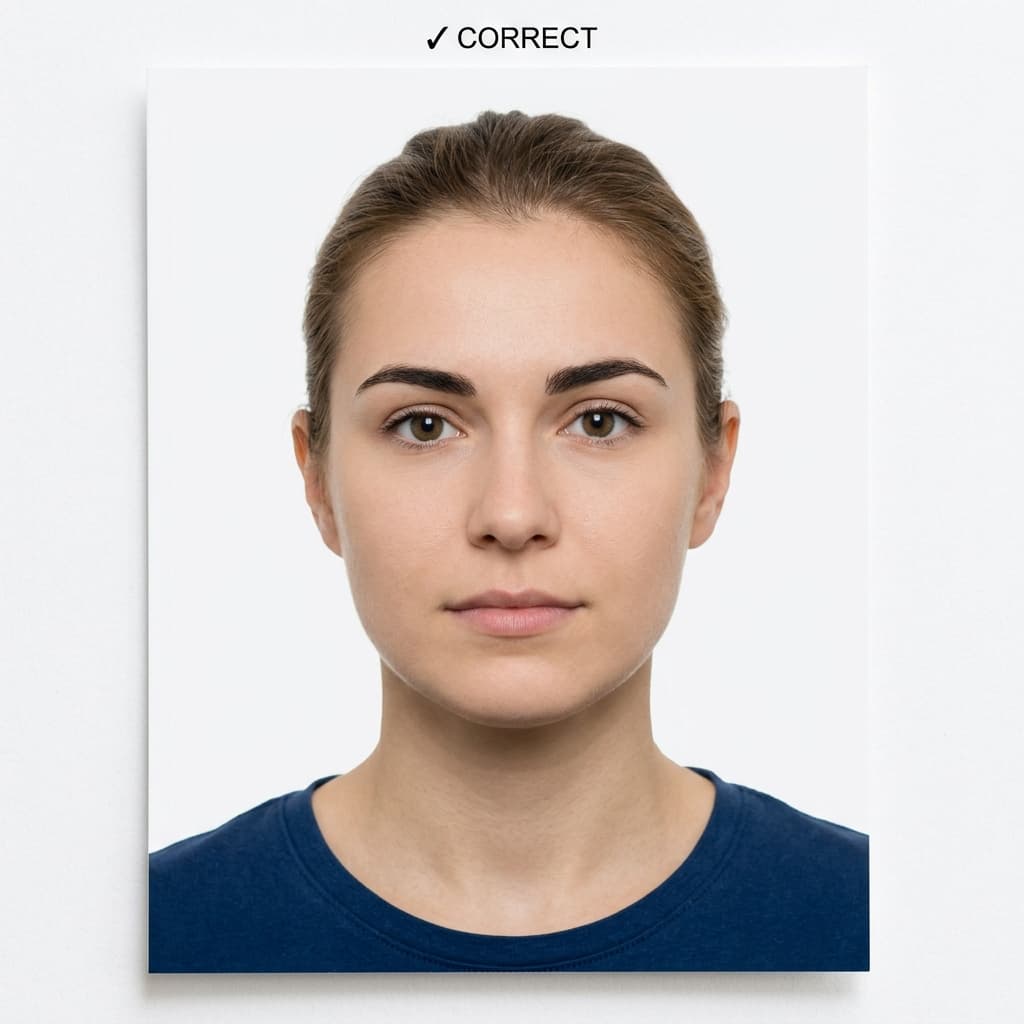
Pass example
Correct photo
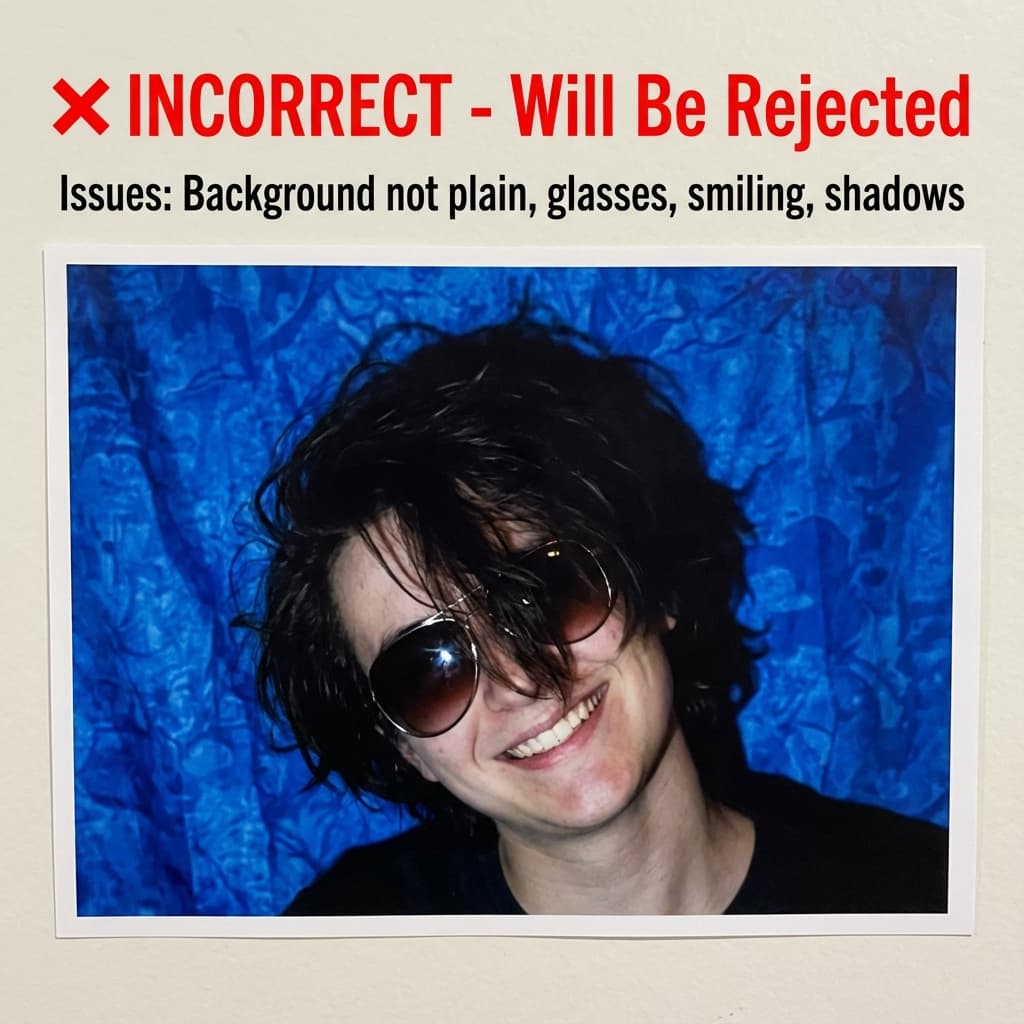
Common rejection risk
Incorrect photo
How Japan Online Passport Photo compares to similar documents
Every figure below is read from the same rule profiles this checker validates against, so it says what actually differs rather than what sounds different.
What changes for nearby documents
- China Visa wants 33×48mm, not 600×730px; head fills 58–69% of the frame, not 71–80%; file limit 150 KB, not 600 KB.
- Australia Visa wants 35×45mm, not 600×730px; file limit 3500 KB, not 600 KB; an off-white or light grey background, not pure white.
- India Visa wants 600×600px, not 600×730px; head fills 50–69% of the frame, not 71–80%; file limit 300 KB, not 600 KB.
- Japan Visa wants 35×45mm, not 600×730px; head fills 60–70% of the frame, not 71–80%; file limit 240 KB, not 600 KB.
Frequently Asked Questions
Related Document Requirements
Japan Visa
Check and fix your Japan visa photo online. Create a 45x35mm portrait JPEG with the correct head size, plain background,...
Japan Passport
Check a Japan passport photo free against the 35x45mm MOFA profile. Preview the background, head size, crop, and measure...
Japan Residence Card Photo
Check your Japan Residence Card (Zairyu Card) photo against the Immigration Services Agency specification: 30×40mm, plai...
US Passport
Check and fix your US passport photo online. Create a 2x2 inch passport photo with white background, correct head size, ...
US Visa (DS-160)
Fix and check your US visa photo for DS-160 upload. Create a 600x600px JPEG at 240KB or less with a plain background, co...
Schengen Visa
Check and fix your Schengen visa photo online. Create a 35x45mm biometric photo for France, Germany, Italy, Spain, and o...
35x45mm Photo
Check a 35x45mm (3.5x4.5 cm) passport or visa photo online, free. Exact size in mm and pixels, head height and backgroun...
US Green Card Lottery (DV)
Free AI-powered DV-2027 Lottery photo checker. Instant validation of your 600x600px photo against official State Departm...