Vietnam eVisa
Vietnam eVisa Photo 4x6cm Checker and Online Maker
Check and fix your Vietnam eVisa photo online. Create a 4x6cm portrait image with plain bright background, correct 2:3 crop, clear face, and upload-ready file before paying to download.
Last updated May 6, 2026
Verified against the official source · Oct 8, 2026Official Vietnam Visa Photo Dimensions & Requirements (4x6cm)
Vietnam's online visa portal requires a specific 4x6cm portrait format that differs from many western passport and visa standards. A normal square passport photo or a landscape phone image can be rejected even if the face looks clear.
- Format: Portrait orientation (vertical).
- Dimensions: 4x6 cm / 40x60mm, exported by this tool as 472x709px at 300 DPI equivalent.
- File: JPG upload-ready output under 1MB.
- Background: White, plain, and evenly lit.
- Glasses: Remove glasses; this is the safest current Vietnam eVisa upload rule.
- Ears: Show both ears where possible.
Why Vietnam eVisa Photos Get Rejected
The most common reason for Vietnam eVisa rejection is uploading the wrong kind of image: a landscape photo, a passport scan, a low-quality screenshot, or a crop where the head and shoulders do not fit the 2:3 portrait frame.
- Do not upload a passport bio page scan as the portrait photo.
- Avoid horizontal phone photos that leave too much space on the sides.
- Use a clear front-facing image with both eyes visible, no glasses, and a neutral expression.
- Keep the background white and plain; the tool cleans and exports it for the eVisa workflow.
Fast Preview Before You Pay
Our tool automatically crops your photo to the 2:3 portrait ratio, cleans the background, checks the face position, and shows the corrected preview before checkout. You only unlock the final files after the result is ready.
- Preview the corrected Vietnam eVisa portrait first.
- Download a clean digital JPG after payment.
- Use the measurement preview to avoid guessing whether the crop is safe.
Photo Examples
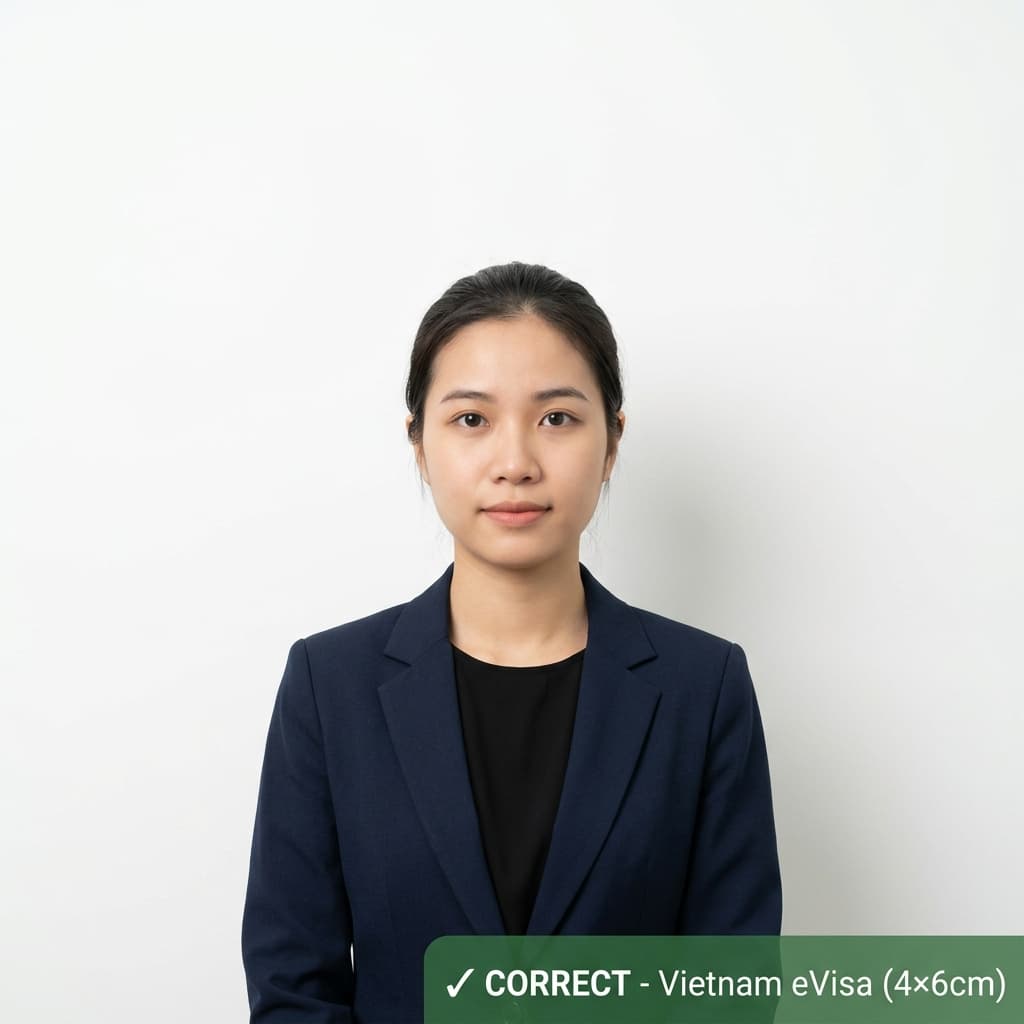
Pass example
Correct photo
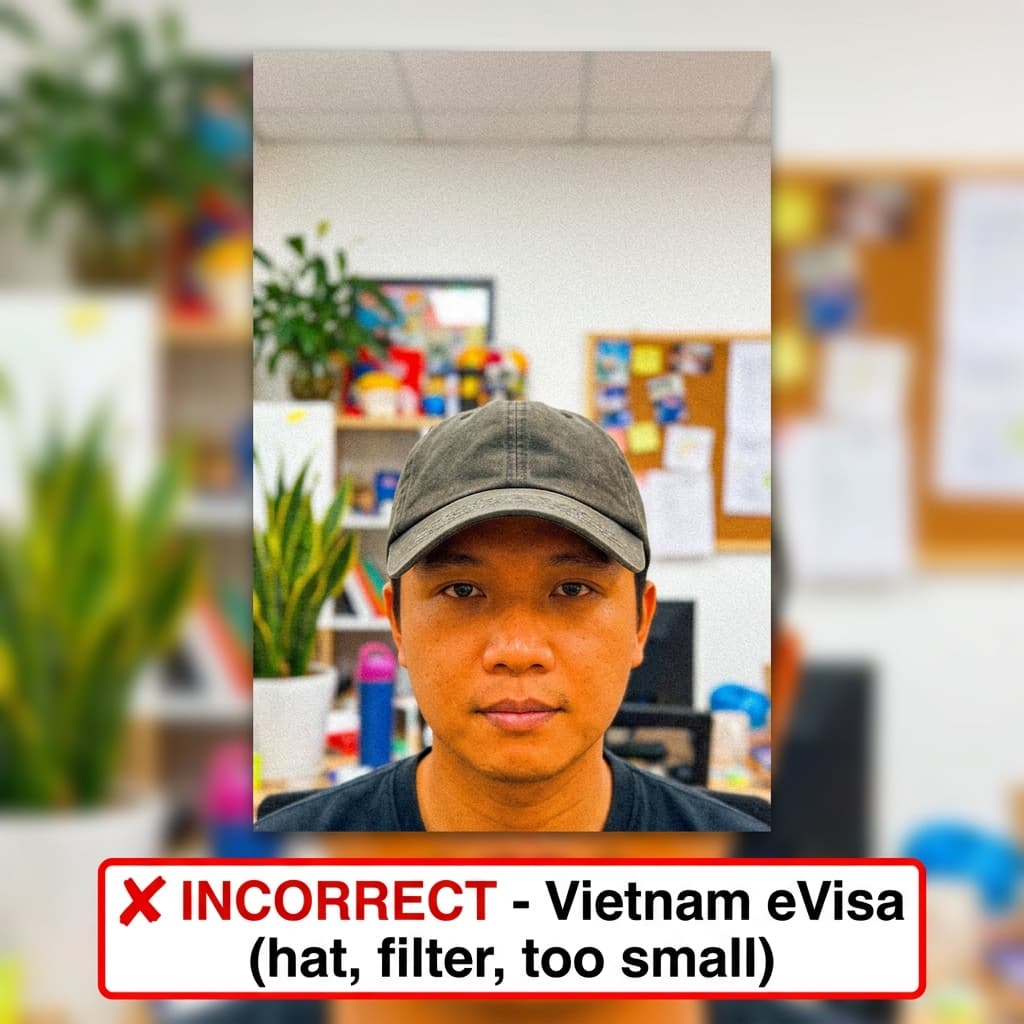
Common rejection risk
Incorrect photo
Real Vietnam eVisa Rejection Data
36.8% of Vietnam eVisa photos were rejected on first submission, based on 155 checks run through VisaPhotoCheck.
Most common reasons a rejected photo failed
- Crop or framing35%
- Resolution23%
- Accessories (glasses, hats, headphones)21%
- Expression12%
- Photo authenticity12%
- Lighting or shadows7%
- Head pose or angle7%
Each figure is the share of rejected Vietnam eVisa photos that failed that specific check. A single rejection often fails more than one check, so these do not add up to 100%.
Based on VisaPhotoCheck's own Vietnam eVisa submissions — this reflects our users, not an official or industry-wide rejection rate.
How Vietnam eVisa compares to similar documents
Every figure below is read from the same rule profiles this checker validates against, so it says what actually differs rather than what sounds different.
The same specification
A photo that passes for Vietnam eVisa meets the same measurable requirements as UAE Passport, Vietnam Passport and Bahrain eVisa. Size, head height and background are identical; check each portal's own file-size limit before uploading.
What changes for nearby documents
- China Visa wants 33×48mm, not 40×60mm; head fills 58–69% of the frame, not 70–80%; file limit 120 KB, not 1024 KB.
- Australia Visa wants 35×45mm, not 40×60mm; file limit 3500 KB, not 1024 KB; an off-white or light grey background, not pure white.
- India Visa wants 600×600px, not 40×60mm; head fills 50–69% of the frame, not 70–80%; file limit 300 KB, not 1024 KB.
- Japan Visa wants 35×45mm, not 40×60mm; head fills 60–70% of the frame, not 70–80%; file limit 240 KB, not 1024 KB.
Frequently Asked Questions
Related Document Requirements
Vietnam eVisa Rejected
Fix a rejected Vietnam eVisa photo online. Convert a phone photo to the correct 4x6cm portrait crop, plain bright backgr...
Vietnam Passport
Check your Vietnam passport photo online, free. Auto-crop to 4×6cm, verify the head fills 70–80% of the frame, and fix t...
Saudi Arabia Visa
Free online Saudi Arabia visa photo checker. AI produces a compliant 4x6cm (472x709px) photo with white background and 6...
Egypt Visa
Free AI-powered Egypt visa photo checker. Validates 40x60mm (4x6cm) photos against Egyptian consulate requirements. Whit...
Oman Visa
Free AI-powered Oman visa photo checker. Validates 4x6cm (40x60mm) photos against the Royal Oman Police eVisa portal req...
UAE Passport Photo
Check your UAE passport (ICA) photo online, free. Auto-crop to 40×60mm, verify head height 42–48mm, and fix the white ba...
US Passport
US passport photo requirements from the State Department: 2x2 inches, head 1 to 1 3/8 inches, plain white or off-white b...
US Visa (DS-160)
Fix and check your US visa photo for DS-160 upload. Create a 600x600px JPEG at 240KB or less with a plain background, co...