Vietnam eVisa
Vietnam eVisa Photo Rejected? Fix Size, Crop, and Background Online
Fix a rejected Vietnam eVisa photo online. Convert a phone photo to the correct 4x6cm portrait crop, plain bright background, and upload-ready JPG after preview.
Last updated May 6, 2026
Verified against the official source · May 11, 2026Why Vietnam eVisa Photos Get Rejected
Vietnam eVisa uploads often fail because the image is the wrong type of photo: a horizontal phone shot, a passport scan, a low-quality screenshot, or a portrait where the head and shoulders do not fit the 2:3 frame.
- Use a fresh front-facing portrait photo, not a passport scan.
- Keep the final output vertical in the 4x6cm / 2:3 style.
- Use a plain bright background and clear facial visibility.
- Avoid screenshots, compressed messenger images, and heavy filters.
Fix the Photo Before Re-uploading
The checker formats the portrait crop, cleans the background, and shows a corrected preview before checkout. This helps you avoid guessing why the Vietnam eVisa portal rejected the image.
- Preview the corrected crop before paying.
- Download a clean JPG for the eVisa portal.
- Check face position and background before submitting again.
Photo Examples
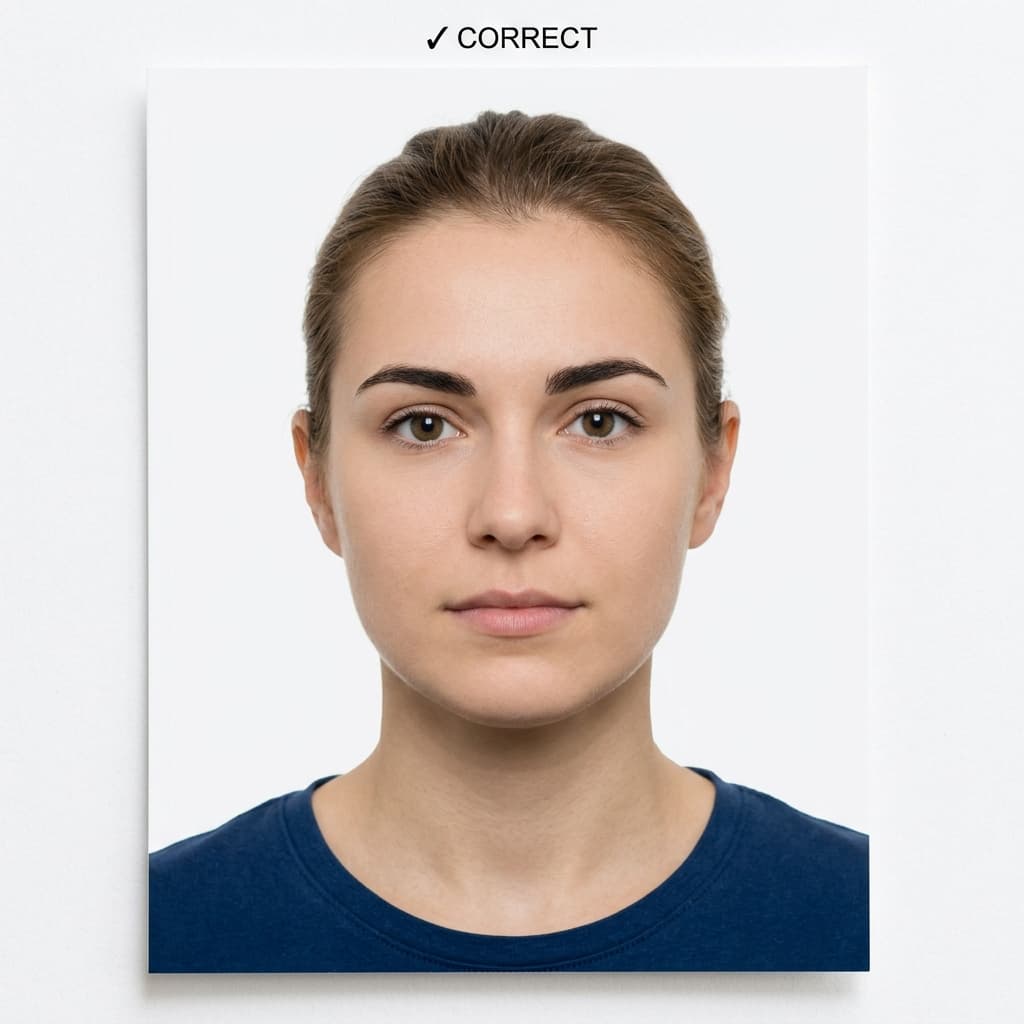
Pass example
Correct photo
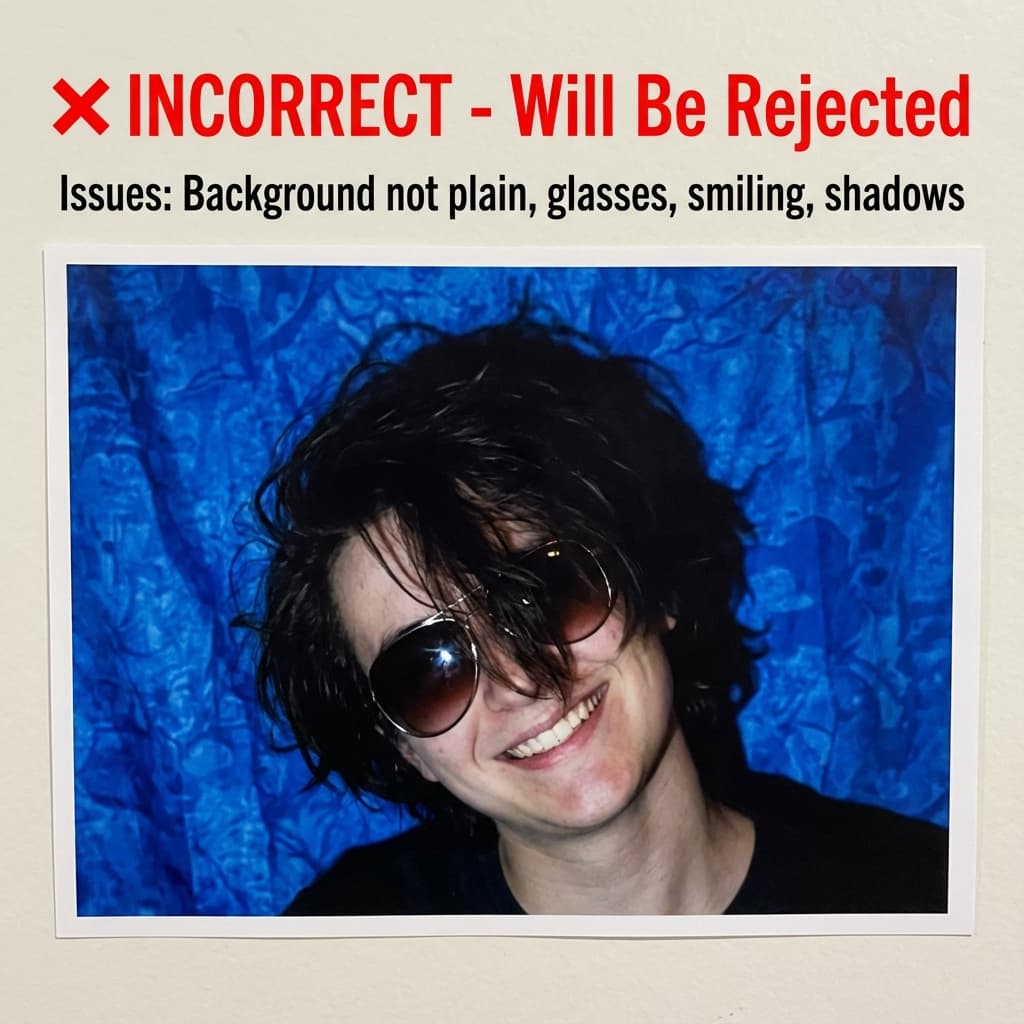
Common rejection risk
Incorrect photo
Real Vietnam eVisa Rejected Rejection Data
36.8% of Vietnam eVisa Rejected photos were rejected on first submission, based on 155 checks run through VisaPhotoCheck.
Most common reasons a rejected photo failed
- Crop or framing35%
- Resolution23%
- Accessories (glasses, hats, headphones)21%
- Expression12%
- File size or format12%
- Lighting or shadows7%
- Head pose or angle7%
Each figure is the share of rejected Vietnam eVisa Rejected photos that failed that specific check. A single rejection often fails more than one check, so these do not add up to 100%.
Based on VisaPhotoCheck's own Vietnam eVisa Rejected submissions — this reflects our users, not an official or industry-wide rejection rate.
Frequently Asked Questions
Related Document Requirements
Vietnam eVisa
Check and fix your Vietnam eVisa photo online. Create a 4x6cm portrait image with plain bright background, correct 2:3 c...
Vietnam Passport
Check your Vietnam passport photo online, free. Auto-crop to 4×6cm, verify head fills 60–70% of frame, and fix the white...
Saudi Arabia Visa
Free online Saudi Arabia visa photo checker. AI produces a compliant 4x6cm (472x709px) photo with white background and 6...
Egypt Visa
Free AI-powered Egypt visa photo checker. Validates 40x60mm (4x6cm) photos against Egyptian consulate requirements. Whit...
Oman Visa
Free AI-powered Oman visa photo checker. Validates 4x6cm (40x60mm) photos against the Royal Oman Police eVisa portal req...
UAE Passport Photo
Check your UAE passport (ICA) photo online, free. Auto-crop to 35×45mm ICAO biometric, verify head height 29–34mm, and f...
US Passport
Check and fix your US passport photo online. Create a 2x2 inch passport photo with white background, correct head size, ...
US Visa (DS-160)
Fix and check your US visa photo for DS-160 upload. Create a 600x600px JPEG at 240KB or less with a plain background, co...