US Visa
Compress DS-160 Photo Under 240KB Without Breaking the Crop
Compress a DS-160 visa photo below 240KB while preserving the required square crop, head scale, and white background.
Last updated Apr 27, 2026
Verified against the official source · Oct 8, 2026Compression Should Happen After Cropping
Compressing the original camera photo first can create artifacts and make the final crop worse. The safer order is crop, background cleanup, head scaling, then JPEG compression to the target file size.
- Final file stays in JPEG format.
- Square dimensions remain intact after compression.
- Preview lets you inspect the corrected photo before paying.
Photo Examples
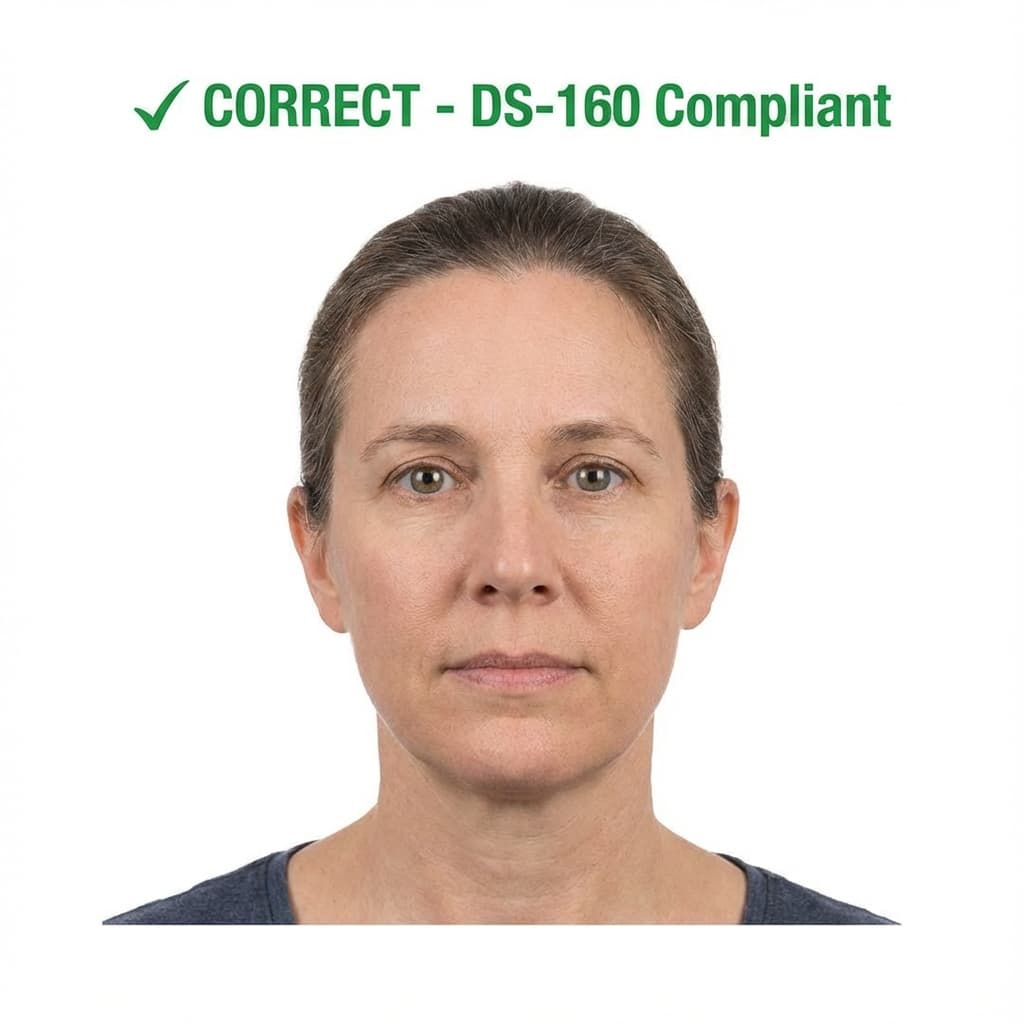
Pass example
Correct photo
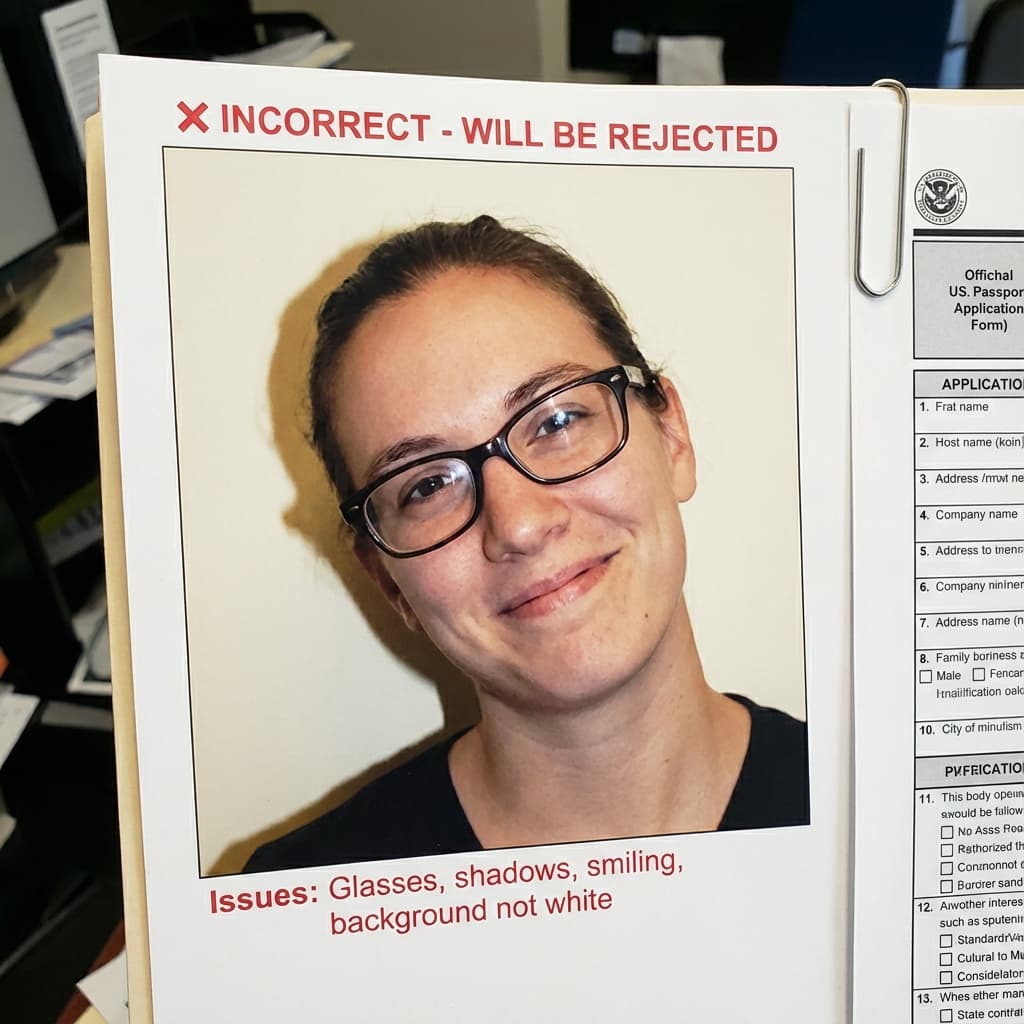
Common rejection risk
Incorrect photo
Real DS-160 Under 240KB Rejection Data
35.5% of DS-160 Under 240KB photos were rejected on first submission, based on 543 checks run through VisaPhotoCheck.
Most common reasons a rejected photo failed
- Crop or framing39%
- Accessories (glasses, hats, headphones)29%
- Lighting or shadows12%
- Resolution11%
- Head pose or angle8%
- Expression6%
- Photo authenticity5%
- sharpness2%
- Background1%
Each figure is the share of rejected DS-160 Under 240KB photos that failed that specific check. A single rejection often fails more than one check, so these do not add up to 100%.
Based on VisaPhotoCheck's own DS-160 Under 240KB submissions — this reflects our users, not an official or industry-wide rejection rate.
DS-160 help center
Solve the exact US visa photo problem
Use the focused guide that matches what CEAC is asking you to fix. All four pages use the same current US visa photo profile.
US visa photo checker
The main 600×600px DS-160 checker and corrected-photo workflow.
DS-160 photo requirements
Official dimensions, head size, background, glasses, and JPEG rules.
Fix a DS-160 upload error
Troubleshoot CEAC rejections before returning to the application.
Complete CEAC rejection guide
Diagnose each “photo does not meet requirements” message step by step.
Frequently Asked Questions
Related Document Requirements
US Visa (DS-160)
Online US visa photo tool: check your photo free, then get a 600x600px DS-160 JPEG at 240KB or less with a plain backgro...
DS-160 Photo
Free DS-160 photo checker for U.S. visa applications. Validate your 600x600px photo against CEAC upload rules, including...
B1/B2 Visa Photo
Free B1/B2 visa photo checker for U.S. visitor visa applicants. Instantly validate your digital photo for DS-160 upload ...
F1 Visa Photo
Free F1 student visa photo checker. Make sure your U.S. F1 visa photo meets DS-160 rules for size, background, expressio...
US Passport
US passport photo requirements from the State Department: 2x2 inches, head 1 to 1 3/8 inches, plain white or off-white b...
US Green Card Lottery (DV)
DV lottery photo rules quoted from the State Department: a 600x600px square JPEG under 240KB, head 50–69% and eyes 56–69...
Global Entry Photo
You do not bring a photo for Global Entry: the CBP officer takes it at your enrollment interview. Here is what CBP says.
USCIS Photo
USCIS photo requirements for Green Card (I-485), EAD (I-765), Naturalization (N-400) and I-130: 2×2 inches, white to off...